Google issues emergency update for Google Maps to curb error on Android Auto


Routes with multiple stops are incredibly useful for a variety of reasons. When users have journeys that involve more than one destination, they can easily set up each stop within the Google Maps application. This allows the navigation app to provide detailed, step-by-step instructions guiding them to each location along their route.
Upon reaching a destination, users can simply tap the "continue" button displayed on their screen, prompting Google Maps to seamlessly transition to providing directions to the next stop on their itinerary.
However, starting in late May, a significant issue arose with the multi-stop route functionality in Google Maps on Android devices. This problem was widely reported, with hundreds of users confirming the issue on Google's official forums.
The specific nature of the problem was that users who had set up multi-stop routes on their Android devices found themselves unable to proceed with their journey in Google Maps after arriving at the initial destination. While the "continue" button was visible on the screen, it was unresponsive to user input. As a result, the only workaround available to users was to completely close the Google Maps application and reconfigure their entire route from scratch.

Users who encountered this frustrating behaviour attempted various troubleshooting methods commonly used to resolve app issues. These included restarting their phones, clearing the app's cache and data, and even going so far as to uninstall and reinstall Google Maps. Unfortunately, none of these typical fixes managed to restore the correct multi-stop route functionality.
Eventually, users were left with no choice but to end their current trip and start the navigation process anew.
Google promptly initiated an investigation into the issue shortly after the first reports began to surface. After thorough analysis, the company has successfully developed a solution to address the problem. The latest update to Google Maps for Android devices rectifies this glitch, with users confirming in the same discussion thread that the multi-stop route feature is functioning normally once again after installing the updated version.
For those wondering about the specific version they need to install, the simplest approach is to check for available updates on the Google Play Store and download the most recent release of Google Maps. The version believed to contain the fix for this glitch is 11.131.0102 build 1067550236. It's important to note the build number specifically, as the initial release of version 11.131.0102 did not include a fix for this particular issue. Users who installed the original version reported that the glitch persisted, but it was subsequently resolved after updating to build 11.131.0102.
)
US vs China over South China Sea: Washington backs Philippines, Beijing hits back
)
Bigg Boss 20: Isha Rikhi evicted after three weeks in Salman Khan’s show
)
Musk plans to more than double xAI's chips to over 1.2 million Nvidia GPUs by year-end
)
After JU, clash erupts at SRFTI: BJP’s ‘Dimagi Naxal’ jibe sparks political firestorm after students protest RSS-linked event
)
‘Anti-social elements spreading false rumours’: LPU issues statement amid massive unrest over alleged rape
)
LPU students go on rampage, vandalise campus amid widespread protest: What's happening
)
Trump asked Xi to pressure Iran. China did not say yes — here’s what Beijing wants
)
US Treasury Secretary Scott Bessent hails global crackdown on Iranian banks and airlines
)
An OpenAI agent escaped its locked test cage again, by hiding questions in DNS lookups
)
'Our video was trimmed': LPU girls who featured in rape-denial video make U-turn
)
3 males killed, four others injured in shooting after fight at strip club in Detroit
)
'Victory for low-budget consumers': Raghav Chadha hails 30-day telecom recharge rules
)
Claude rebuilt the 1989 game 'Prince of Persia' by reusing the original's own code
)
Beyond metros: How Tier-2 and Tier-3 cities could drive India’s next AI wave
)
Tesla builds first Cybertruck with its own refined lithium: Elon Musk's $1 billion Texas bet pays off
)
IndiGo flight suffers tail strike in Bengaluru while landing; DGCA to probe incident
)
The US and China set up an AI 'red telephone', but skipped the rulebook
)
‘Terror suspects arrested near UK air base were looking to do big damage’: Trump
)
Russian envoy claims US tactics to contain India were revealed in ‘Freudian slip’
)
IND vs WI 1st ODI: Kohli breaks Sachin's most runs in one country record with unbeaten 139 as India thump West Indies by 8 wickets
)
Researchers rebuilt exactly how 700 AI agents hacked Hugging Face: a 900-link chain trick
)
‘Olympic inclusion is our major target’: WPA President Ishaun Singh on pool’s global ambitions
)
Nations League: Spain sink England at Wembley; Modric shines for Croatia
)
Why has Iran released no proof of life of Mojtaba Khamenei? Araghchi reveals...
)
'What kind of confession is this?': Pakistan PM Shehbaz Sharif’s 'terrorists would be roaming New York' remark goes viral, raises alarm online. Watch
)
South Korea demands apology from Ukraine over North Korean prisoners' transfer
)
Beyond BrahMos: India targets Rs 50,000 crore in defence exports with unmatched price edge
)
Sri Lankan Tamil migrant worker gets death sentence in Saudi Arabia, help sought from India
)
Muslim marriage cannot shield sex with minor wife from prosecution under POCSO: Delhi HC
)
'Can't help but draw painful parallels to Nirbhaya case': SC on latest incidents of rape cases in Delhi-NCR
)
99.9% more powerful - Scientists find boy who can recall memories from just 3 months of age
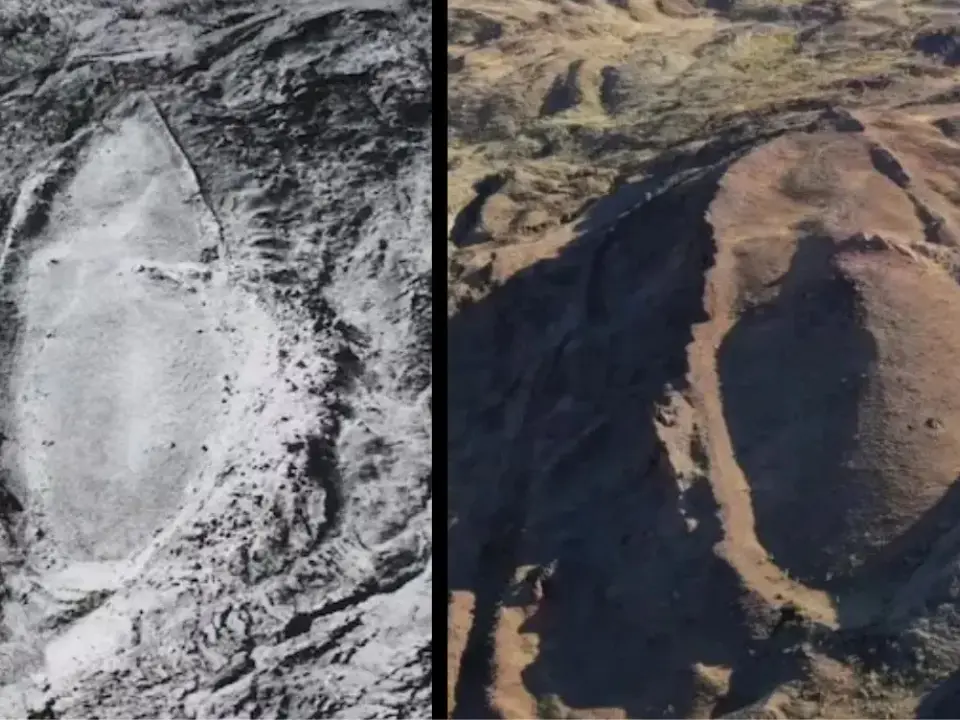)
'FIRST LOOK from inside Noah’s Ark': Researchers share video from inside mysterious mound in Turkey
)
UNSC reform momentum grows: Russia, Portugal, Mauritius push for India's permanent seat bid
)
8 US marines injured in Iranian missile attack on vessel in Strait of Hormuz: Report
&im=FitAndFill=(700,400))
New OTT releases this week (September 28-October 4, 2026): Dupahiya 2, Pooja Meri Jaan, Ohh My Dog- 5 titles coming on Netflix, Prime Video and more
)
Afghanistan says 28 fighters killed in clash near Pakistan border, Islamabad denies
)
Ceuta migrant crisis: Protesters take to streets as Spain grapples with migrant challenge
)
LPU suspend classes, postpones exams as violence escalates over rape claims: What's happening
)
New York City wants a 'kill switch' on every AI, and will pay whistleblowers who report violations
Read More:EU implements tariffs on Chinese electric vehicles
It's worth mentioning that this error exclusively affected Android devices. If you use Google Maps on an iPhone, you should not have experienced this particular problem (unless you encountered a different bug). In the event that the new Google Maps build is not yet available on the Google Play Store for your device, you may need to wait a few additional days for the update to appear. Google employs a phased rollout model for updates, ensuring that all devices in the production channel should have access to the update within a few days.
In the meantime, for those who prefer not to wait, there is an alternative option of using the Google Maps APK installer. However, this method involves a more complex process, including downloading the APK file and manually initiating the update. This approach may be suitable for more tech-savvy users who are comfortable with side-loading applications.