
&imwidth=800&imheight=600&format=webp&quality=medium "Apple Pay on iPhone in India: How to set up and use it")
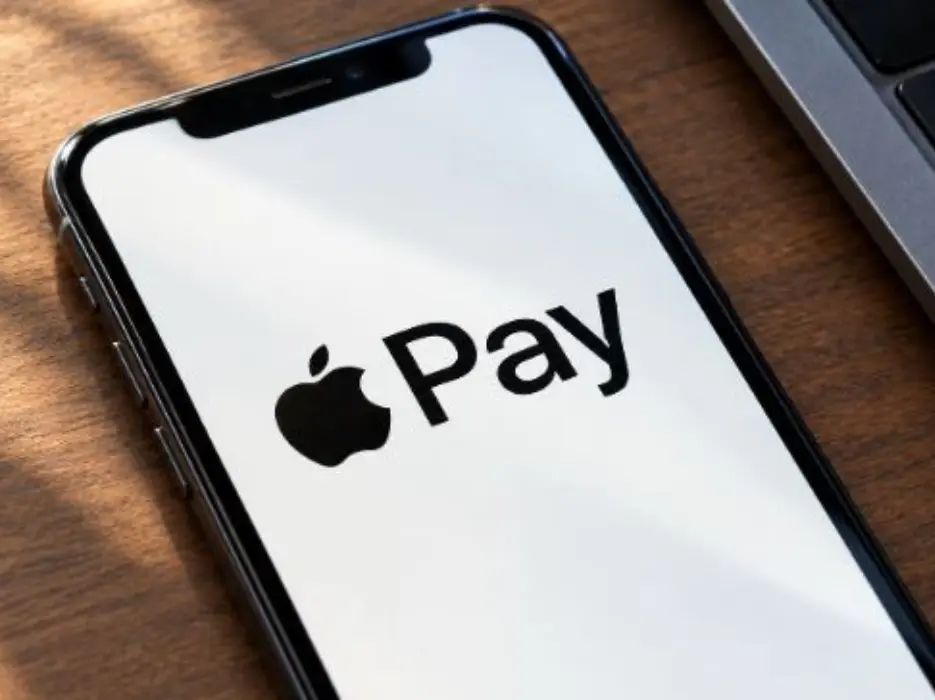
Apple Pay has finally launched in India, giving iPhone, iPad and Apple Watch users a new way to make card payments without entering a PIN or OTP at checkout.
Apple says customers with eligible Axis Bank-issued Visa and Mastercard credit cards can add their cards to Apple Pay and use them at thousands of merchants across India, as well as anywhere that accepts NFC payments. The service is also designed to work for purchases in apps and on websites. Support for Mac is coming soon, according to Apple.
For iPhone users, setting up Apple Pay starts in the Wallet app and takes only a few steps.

How to set up Apple Pay on iPhone in India
To add an eligible Axis Bank credit card to Apple Pay:
Open the Wallet app on your compatible iPhone.
Trending Stories
)
US vs China over South China Sea: Washington backs Philippines, Beijing hits back
)
Bigg Boss 20: Isha Rikhi evicted after three weeks in Salman Khan’s show
)
Musk plans to more than double xAI's chips to over 1.2 million Nvidia GPUs by year-end
)
After JU, clash erupts at SRFTI: BJP’s ‘Dimagi Naxal’ jibe sparks political firestorm after students protest RSS-linked event
)
‘Anti-social elements spreading false rumours’: LPU issues statement amid massive unrest over alleged rape
)
LPU students go on rampage, vandalise campus amid widespread protest: What's happening
)
Trump asked Xi to pressure Iran. China did not say yes — here’s what Beijing wants
)
US Treasury Secretary Scott Bessent hails global crackdown on Iranian banks and airlines
)
An OpenAI agent escaped its locked test cage again, by hiding questions in DNS lookups
)
'Our video was trimmed': LPU girls who featured in rape-denial video make U-turn
)
3 males killed, four others injured in shooting after fight at strip club in Detroit
)
'Victory for low-budget consumers': Raghav Chadha hails 30-day telecom recharge rules
)
Claude rebuilt the 1989 game 'Prince of Persia' by reusing the original's own code
)
Beyond metros: How Tier-2 and Tier-3 cities could drive India’s next AI wave
)
Tesla builds first Cybertruck with its own refined lithium: Elon Musk's $1 billion Texas bet pays off
)
IndiGo flight suffers tail strike in Bengaluru while landing; DGCA to probe incident
)
The US and China set up an AI 'red telephone', but skipped the rulebook
)
‘Terror suspects arrested near UK air base were looking to do big damage’: Trump
)
Russian envoy claims US tactics to contain India were revealed in ‘Freudian slip’
)
IND vs WI 1st ODI: Kohli breaks Sachin's most runs in one country record with unbeaten 139 as India thump West Indies by 8 wickets
)
Researchers rebuilt exactly how 700 AI agents hacked Hugging Face: a 900-link chain trick
)
‘Olympic inclusion is our major target’: WPA President Ishaun Singh on pool’s global ambitions
)
Nations League: Spain sink England at Wembley; Modric shines for Croatia
)
Why has Iran released no proof of life of Mojtaba Khamenei? Araghchi reveals...
)
'What kind of confession is this?': Pakistan PM Shehbaz Sharif’s 'terrorists would be roaming New York' remark goes viral, raises alarm online. Watch
)
South Korea demands apology from Ukraine over North Korean prisoners' transfer
)
Beyond BrahMos: India targets Rs 50,000 crore in defence exports with unmatched price edge
)
Sri Lankan Tamil migrant worker gets death sentence in Saudi Arabia, help sought from India
)
Muslim marriage cannot shield sex with minor wife from prosecution under POCSO: Delhi HC
)
'Can't help but draw painful parallels to Nirbhaya case': SC on latest incidents of rape cases in Delhi-NCR
)
99.9% more powerful - Scientists find boy who can recall memories from just 3 months of age
)
'FIRST LOOK from inside Noah’s Ark': Researchers share video from inside mysterious mound in Turkey
)
UNSC reform momentum grows: Russia, Portugal, Mauritius push for India's permanent seat bid
)
8 US marines injured in Iranian missile attack on vessel in Strait of Hormuz: Report
&im=FitAndFill=(700,400))
New OTT releases this week (September 28-October 4, 2026): Dupahiya 2, Pooja Meri Jaan, Ohh My Dog- 5 titles coming on Netflix, Prime Video and more
)
Afghanistan says 28 fighters killed in clash near Pakistan border, Islamabad denies
)
Ceuta migrant crisis: Protesters take to streets as Spain grapples with migrant challenge
)
LPU suspend classes, postpones exams as violence escalates over rape claims: What's happening
)
New York City wants a 'kill switch' on every AI, and will pay whistleblowers who report violations
Tap the + button in the top-right corner.
Select Debit or Credit Card.
Place your eligible Axis Bank card against the back of the iPhone to scan it.
You can alternatively choose Enter Card Details Manually.
Enter your name, card number, expiry date and security code.
Tap Continue.
Follow the verification instructions shown on your iPhone.
Once verification is completed, the card will appear in Apple Wallet.
The card must be eligible for Apple Pay. The information provided here specifically covers Axis Bank-issued Visa and Mastercard credit cards announced for the launch.
How Apple Pay keeps card details secure
Apple says your actual card number is not stored on the iPhone or on Apple’s servers, and it is not sent to merchants. Instead, Apple Pay creates a unique Device Account Number. It is encrypted and stored in the iPhone’s Secure Element, a dedicated chip designed to protect payment information. Apple also says it does not retain transaction information that can be used to identify a user. If an iPhone is lost or stolen, users can lock the device and prevent Apple Pay transactions from being made from it.
How to use Apple Pay in India
Once an eligible card has been added and verified, users can use Apple Pay at compatible contactless payment terminals.
The main advantage is convenience: instead of repeatedly entering card information or using an additional payment app, users can authenticate and pay using their Apple device. Apple Vice President of Apple Pay and Apple Wallet Jennifer Bailey said the service is designed to make everyday card payments “easy, secure, and private”. Apple Pay’s arrival gives Indian users another option for contactless card payments, while Apple gets a much deeper role in everyday transactions on its devices.
